ConnectAlarm 3.0

ConnectAlarm 3.0 is a major release that brings a complete visual redesign, expanded panel support, improved event tracking, and new automation capabilities. This update introduces full support for PowerSeries Neo 5 panels, adds granular user permission controls for arming and disarming, adds a System Events notification type for end users, and enhances home automation with sunrise and sunset triggers and editable rules.
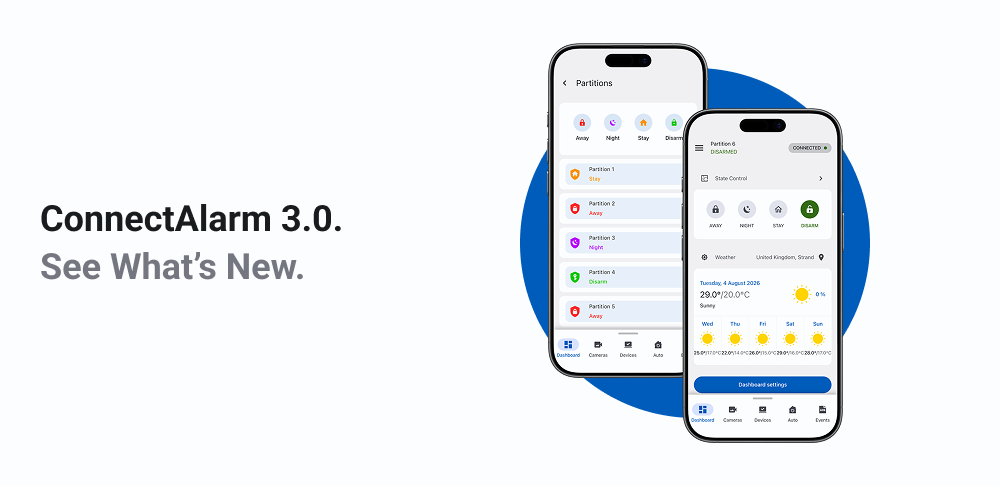
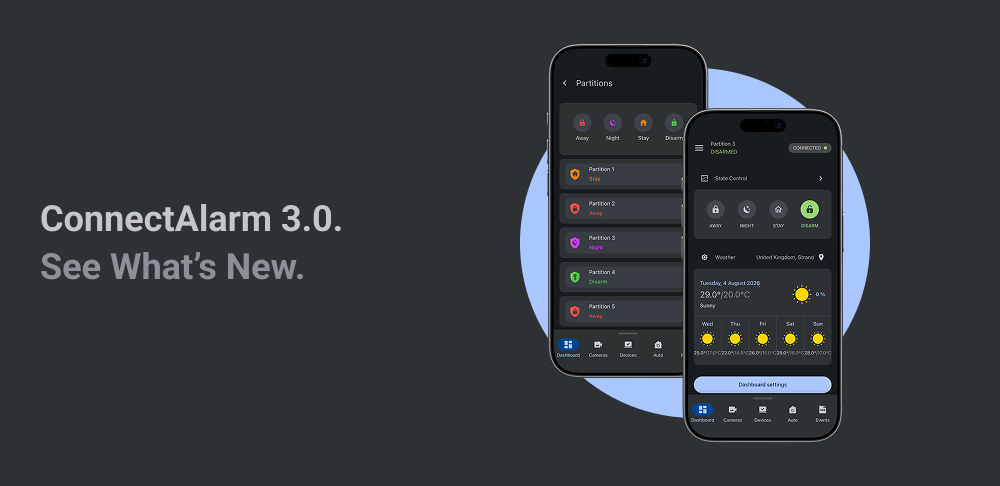
Complete application redesign
ConnectAlarm 3.0 features a brand-new look and feel across every screen. The entire interface has been modernized with updated components, cleaner layouts, and improved navigation.
Key changes:
- Redesigned Dashboard with a dedicated Control Devices widget for quick access to your most-used devices.
- Refreshed Welcome and onboarding screens to help new users get started faster.
- Updated visuals for Devices, Cameras, Keyfobs, and Users screens for easier browsing and management.
- Redesigned Automation (Outputs) screen with intuitive on/off toggles, sliders for dimmers and thermostats, and lock/unlock controls.
- Completely rebuilt Events screen. Now includes Automation Log entries.
- Redesigned Home Automation rule screens with step-by-step trigger, condition, and action selection.
- Improved Geofence location search and setup dialogs.
- Redesigned Notifications settings with updated push and email notification tabs.
- Updated Panel settings screens for Wi-Fi setup, date and time, output setup, and installer access.
- Updated Themes display the app's appearance, including colors and logos, with a cleaner, more modern look.
Improved event representation
The events system has been significantly improved for clarity and usability.
Key changes:
- Events now display specific icons, titles, and key details for each event type (alarms, alerts, troubles), making it easier to understand what happened at a glance.
- Simplified filtering with fewer, more intuitive filter categories. You can filter by date range, devices, event types, and users.
- Active filter indicators show which filters are currently applied across all screens.
- A brand-new Events screen provides a detailed, human-readable timeline of everything happening on your system: panel events, arming and disarming actions (including who triggered them), smart home device state changes, user logins and logouts, video requests, device enrollments, zone bypasses, siren activations, configuration changes, and more.
- Battery, temperature, and light level changes are now captured in Events.
- Communication protocol information is shown for each event.
- Events load dynamically as you scroll, so you can browse extensive event history without delays.
For more information about events, see Review events.
Added support for PowerSeries Neo 5 panels
ConnectAlarm 3.0 now fully supports PowerSeries Neo 5 panels.
Key changes:
- View system states and partitions.
- Browse and manage devices (including cameras and keyfobs).
- Control smart home devices (lights, doorlocks, and others).
- Manage users.
- View events and activity logs.
- Smart home (PowerG) devices are displayed for Neo 5 panels.
- Proximity tags can be viewed, renamed, and removed — even when no new tags are available for assignment.
- Wired zones connected through a Wired-to-Wireless module display with the correct icon and description.
User function access for PowerSeries Neo 5 panels
Neo 5 panel users can now access a set of panel functions directly from the app's side menu under Panel settings.
Key changes:
- Activate WPS — start Wi-Fi Protected Setup on your panel. You can also cancel the process if needed.
- System Test — run a full system test and view the results in the app.
- Enable Service Window (DLS) — open a temporary remote service window so your service technician can remotely diagnose and configure your panel.
- Walk Test — start a walk test to verify that all sensors are communicating properly.
- Firmware Upgrade — initiate a panel firmware update directly from the app.
- User configuration — download, view, modify, and upload your panel configuration.
Command outputs show real-time status for PowerSeries Neo 5 panels
On Neo 5 panels, PGMs now show the real-time status.
Key changes:
- Command outputs on the Auto screen now display On and Off statuses.
- Previously, tapping a command output provided no feedback about its current state.
For more information about command outputs control, see Control automation devices.
Added support for new devices for PowerSeries Neo 5 panels
The following new device types are now supported for Neo 5 panels.
Key changes:
- Added support for IQ Keypad.
- Added support for Water Leak Sensor (Water Tile).
- Added support for Smoke & Heat Detector (EI).
- Added support for Heat Detector (EI).
- Added support for Carbon Monoxide (CO) Detector.
- Added support for Optex Beam Detectors.
- Added support for Glassbreak Detector.
- Added support for Wireless Repeater.
- Added support for Vanishing Door/Window Contact.
- Added support for Wired-to-Wireless Module.
- Added support for Touch Keypad and NFC Proximity Tag.
For more information about managing devices, see Manage devices.
Manage user permissions for arming and disarming
Master users can now control which arming and disarming actions are available to each user on the system.
Key changes:
- For every non-master user, you can assign or restrict access to Arm Away, Arm Stay, Disarm, and other available system states.
- Permissions are managed directly from the Users screen in the app.
- This gives master users granular control over what each family member, employee, or guest can do with the security system.
For more information about managing users, see Manage panel users.
Home automation
Sunset and sunrise triggers
You can now create automation rules that trigger at sunrise or sunset based on your panel's location.
Key changes:
- Added Sunrise and Sunset as trigger options when creating or editing a rule.
- The app calculates the exact sunrise and sunset times for your location each day, so no manual time adjustments are needed as the seasons change.
- These triggers appear as options alongside the existing time-based schedule.
Edit home automation rules
Automation rules can now be fully edited after creation.
Key changes:
- You can change the rule's name and on/off status.
- You can modify triggers, conditions, and actions after creation.
For more information about editing Home Automation rules, see Home Automation.
New statuses for garage door devices
Garage door devices now show more detailed status information.
Key changes:
- Added Jammed status — the door is jammed.
- Added Unknown status — the door's current status could not be determined.
- These are in addition to the existing Open, Closed, Opening, and Closing states.
System event notifications
A new System events toggle has been added to both the Push Notifications and Email Notifications settings. System events include installer login attempts, automation rule failures, push subscription expiry warnings, custom automation messages, and more.
Key changes:
- System events were previously enabled by default with no way to change them. After many requests to manage these notifications, we added that capability.
After upgrading the PowerManage server to 5.0, verify push notification settings. System events are disabled by default.
For more information about notifications, see Manage push and email notifications.
Expanded device trouble notifications
The app now recognizes additional trouble types.
Key changes:
- Added new ITv2 online and offline troubles, such as Went offline (ITv2), GPRS Went offline (ITv2), and BBA Went offline (ITv2).
- Added new system troubles, such as Emails Blocked, Push Notifications Blocked, Events Blocked, and Connection Blocked.
Bug fixes
Key changes:
- Fixed an issue that allowed users to operate door locks to which they were not assigned.
- Fixed an issue that caused endless loading on the Dashboard screen.
- Fixed issues with Home Automation rule creation.
- Fixed issues when working with ONVIF cameras.
- Fixed the display of Push Notifications when the phone is in the background.
- Fixed an issue where the application could not be installed on some Xiaomi phones.
- Fixed an issue where video from a PIR camera did not fit the screen in full screen mode.
- Fixed application crashes that occurred when changing the location or icon of a PGM device.
- Fixed an issue where you could not create a rule with the Send Email action.
- Fixed an issue where the Send Wakeup SMS button was not displayed when trying to connect to the panel.