Multi-factor authentication
Overview
Use the Multi-factor authentication settings page to control how PowerManage validates user sign-in with one-time passwords (OTP) sent by SMS.
Use this page when you need to:
- Turn MFA on or off.
- Select the SMS broker used to deliver verification codes.
- Define OTP expiration, resend, retry, and blocking behavior.
- Reduce account takeover risk by tightening verification and lockout controls.
This page helps you balance security and usability by controlling how long codes remain valid, how often users can request new codes, and when the system blocks or escalates repeated failures.
Before you begin
Required permissions
- You must have permission to edit Resolve category settings in Server Settings.
Preconditions
- You are signed in with an account that can edit server settings.
- At least one SMS broker is available if you plan to enable MFA.
- You know the security policy your organization expects for OTP lifetime, retries, and blocking timeouts.
Dependencies
- MFA SMS delivery depends on a working SMS broker.
- Numeric settings must remain within the accepted ranges shown in the dialog.
- Users must have a valid mobile number if MFA is delivered by SMS.
Important limitations
- If MFA is enabled without a working SMS broker, users will not receive verification codes.
- Short OTP lifetimes or low retry limits can increase failed sign-in attempts.
- Long block timeouts can prevent legitimate users from accessing the system until the timeout expires.
Page layout
MFA settings dialog
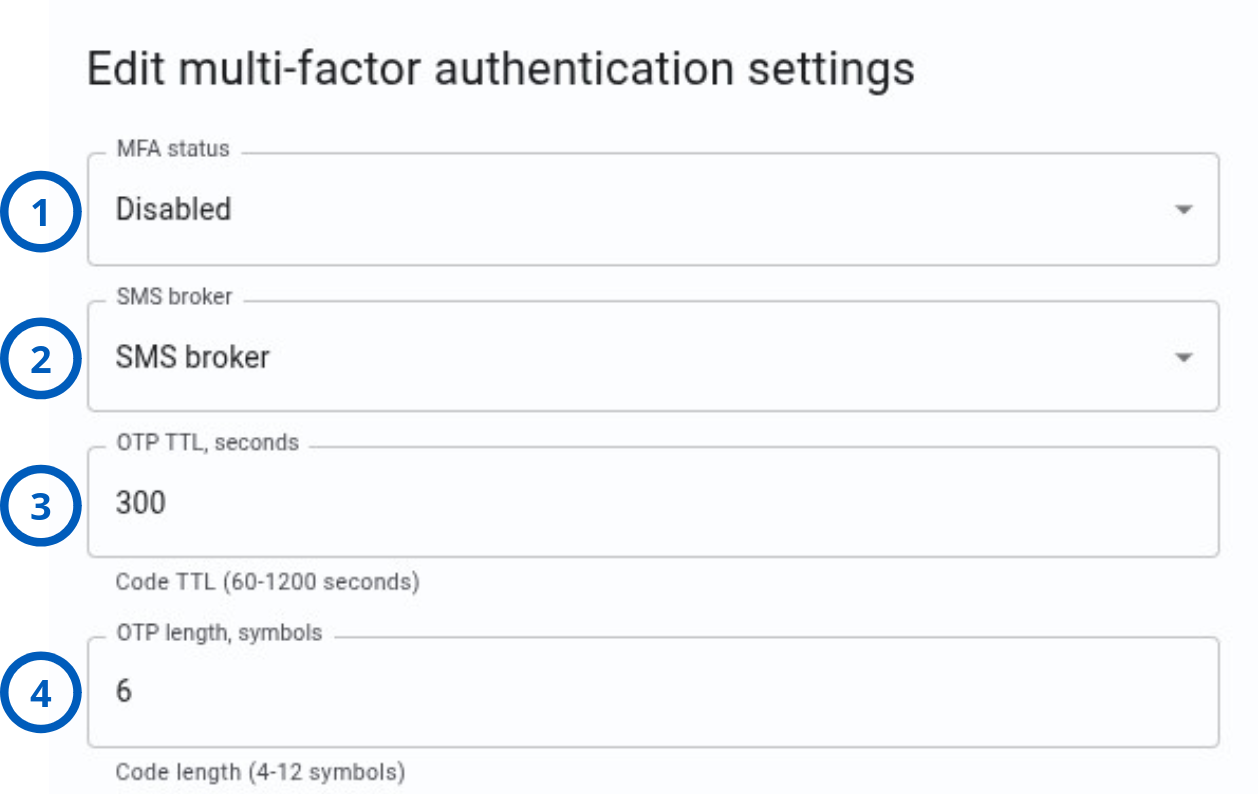
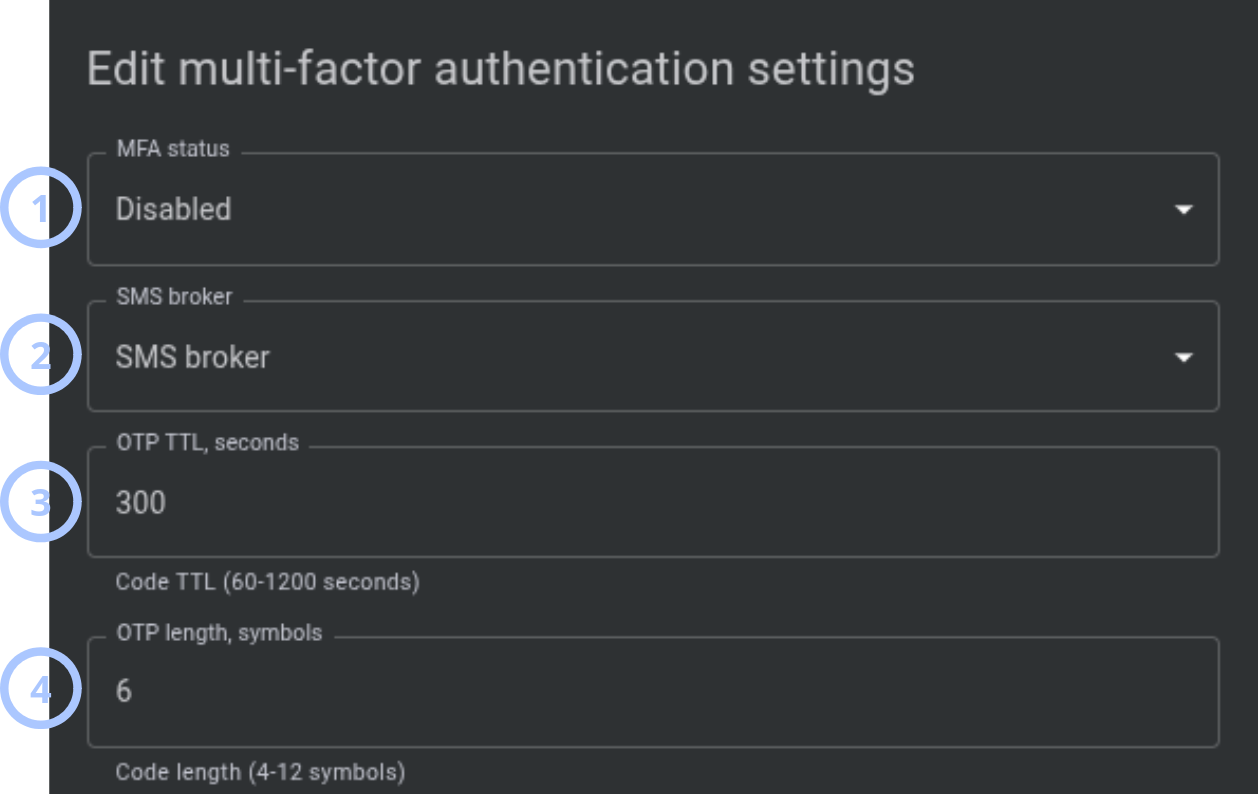
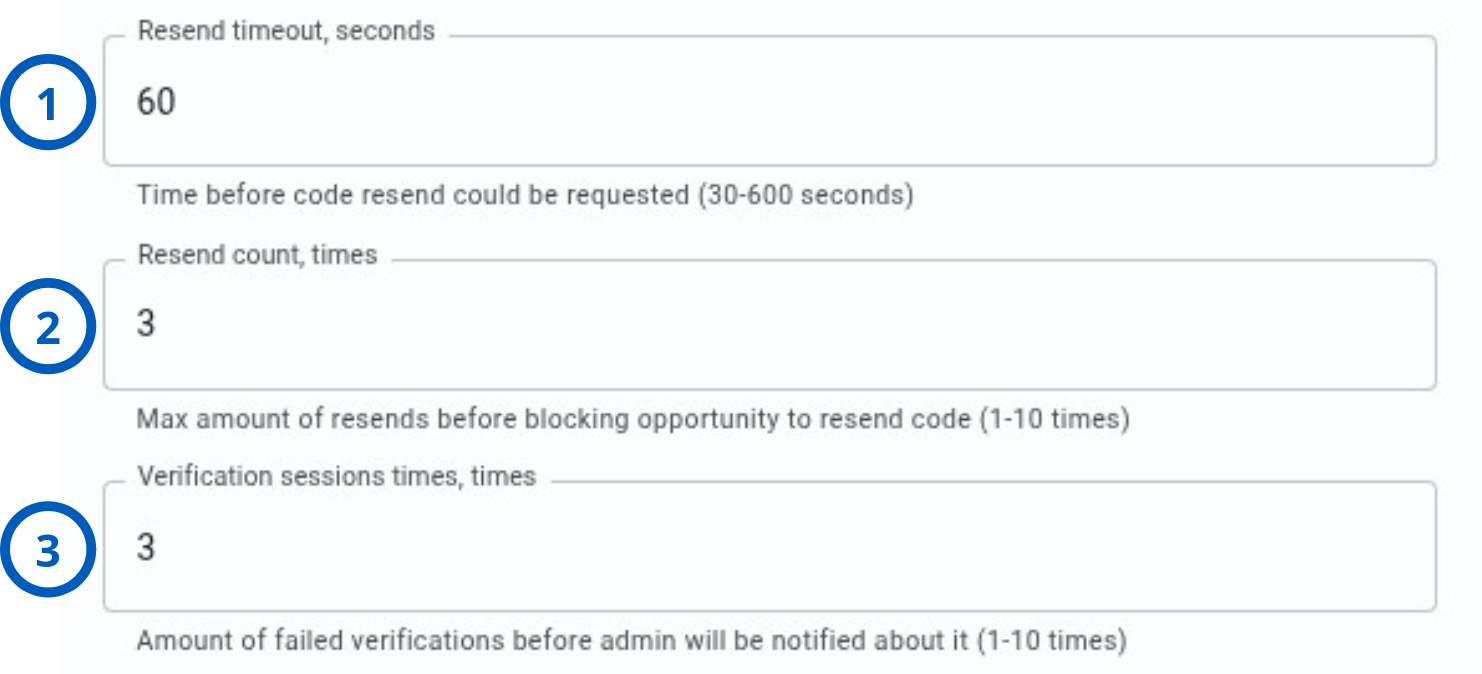
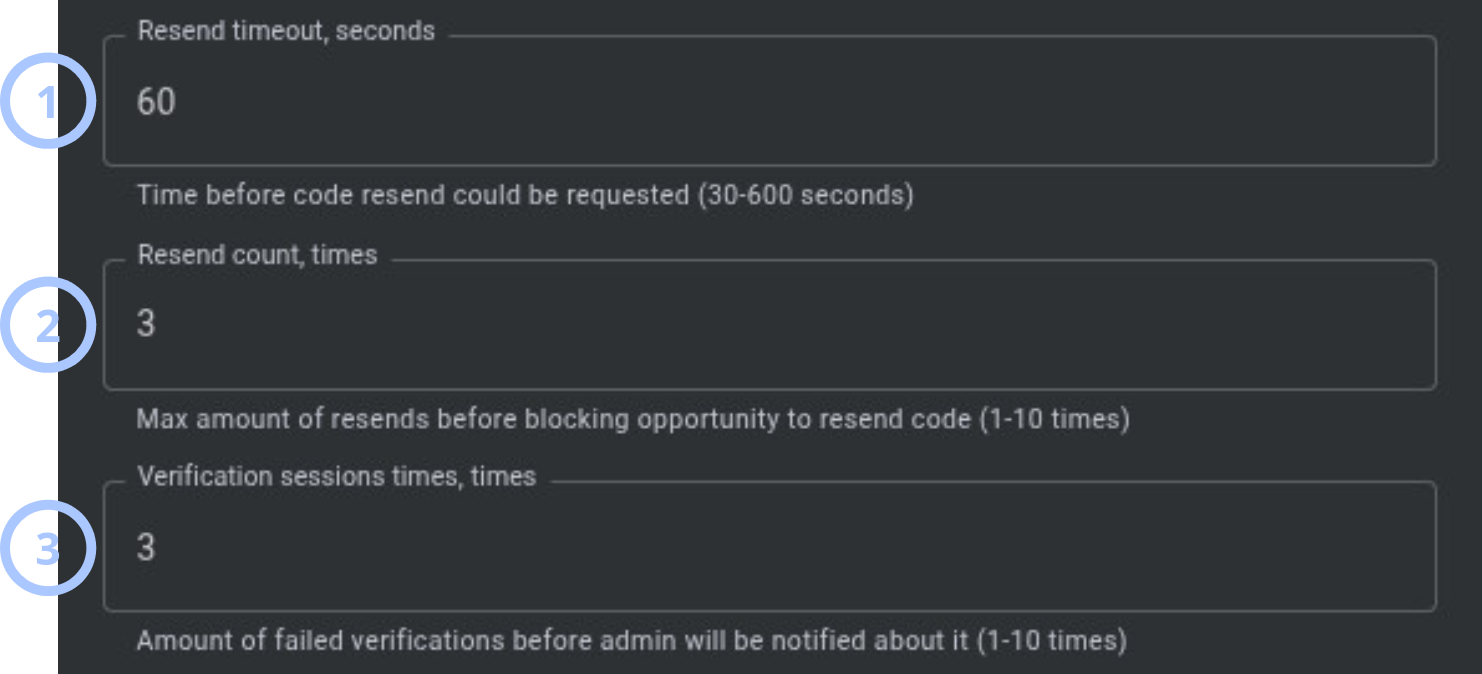
The MFA settings dialog is shown as separate screenshots by section. Use the tabs below to view each part of the dialog.
- One-time code settings
- Resend and notification settings
- Operator blocking settings
| Callout | UI element | Description | When to use |
|---|---|---|---|
| 1 | MFA status | Controls whether MFA is active for the system. | Use to enable or disable multi-factor authentication. |
| 2 | SMS broker | Selects the SMS provider used to deliver OTP codes to users. | Use when MFA is enabled and SMS delivery is required. |
| 3 | OTP TTL, seconds | Sets how long an OTP remains valid after it is generated. Accepted values: 60-1200 seconds. | Use to define how long users have to enter the code before it expires. |
| 4 | OTP length, symbols | Sets the number of characters in the OTP. Accepted values: 4-12 symbols. | Use to balance code strength and usability. |
| Callout | UI element | Description | When to use |
|---|---|---|---|
| 1 | Resend timeout, seconds | Sets how long a user must wait before requesting another OTP. Accepted values: 30-600 seconds. | Use to limit frequent resend requests. |
| 2 | Resend count, times | Sets the maximum number of resend requests allowed. Accepted values: 1-10 times. | Use to limit repeated code delivery attempts. |
| 3 | Verification sessions times, times | Sets how many failed verification sessions are allowed before the system alerts an administrator. Accepted values: 1-10 times. | Use when you want early warning of repeated failed verification activity. |
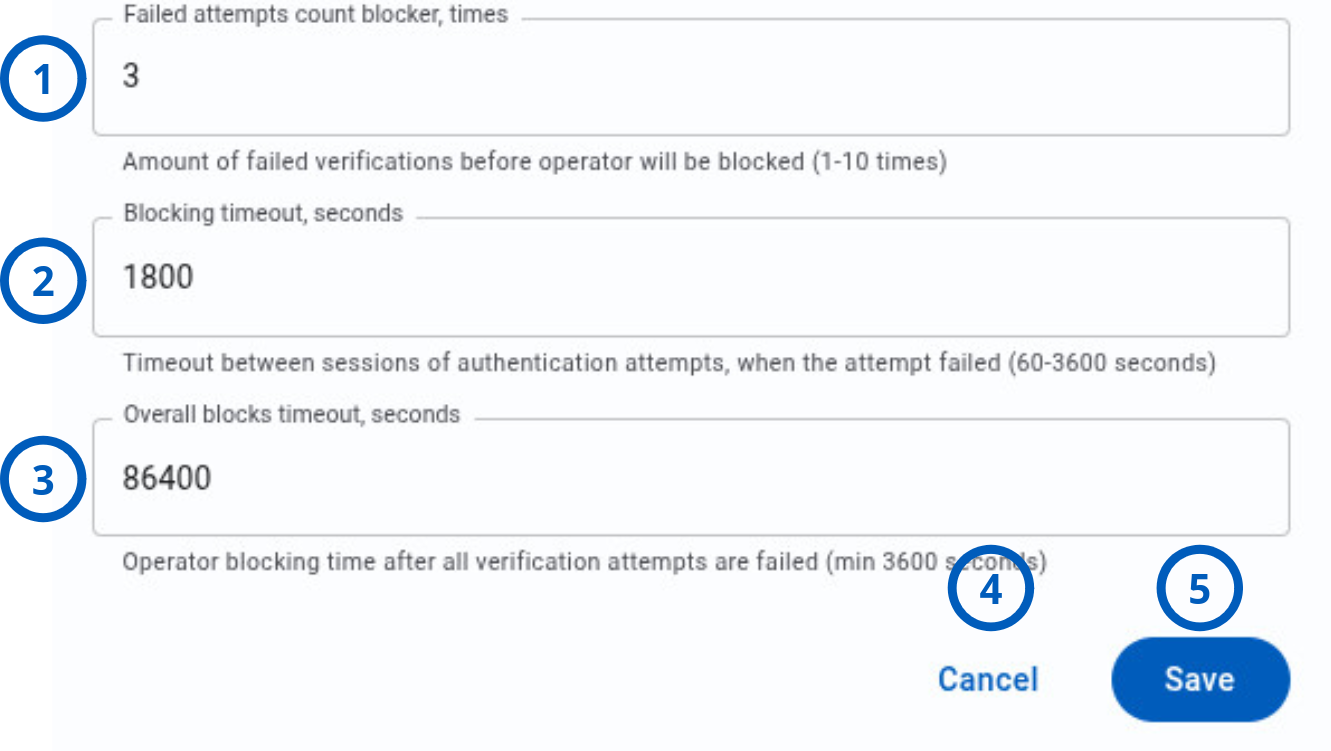
| Callout | UI element | Description | When to use |
|---|---|---|---|
| 1 | Failed attempts count blocker, times | Sets how many incorrect code entries are allowed before the account or operator is temporarily blocked. Accepted values: 1-10 times. | Use to prevent repeated guessing of OTP codes. |
| 2 | Blocking timeout, seconds | Sets the temporary block duration after the failed attempts threshold is reached. Accepted values: 60-3600 seconds. | Use to define how long the temporary lockout lasts. |
| 3 | Overall blocks timeout, seconds | Sets a longer lockout period after all allowed verification attempts are exhausted. Accepted values: 3600-2147483647 seconds. | Use to apply stronger protection after repeated verification failures. |
| 4 | Cancel button | Closes the dialog without saving changes made in the current session. | Use when you want to leave the dialog and keep the previous values. |
| 5 | Save button | Saves the current MFA settings. | Use after you verify that all values are valid and match your security policy. |
How to use this page
Enable MFA
Goal:
- Turn on MFA and select the SMS provider used for OTP delivery.
Steps:
- Open Settings.
- Select or scroll to Multi-factor authentication.
- Select the edit icon.
- Set MFA status to Enabled.
- Select an SMS broker.
- Review the remaining security settings.
- Select Save.
Expected result:
- MFA is enabled and the system uses the selected SMS broker to deliver OTP codes.
Configure OTP lifetime and code length
Goal:
- Define how long verification codes remain valid and how long each code is.
Steps:
- Open the Multi-factor authentication edit dialog.
- Enter a value for OTP TTL, seconds between 60 and 1200.
- Enter a value for OTP length, symbols between 4 and 12.
- Review the values.
- Select Save.
Expected result:
- The system saves the OTP expiration and code length settings.
A 6-character OTP is commonly used because it balances readability and security, but the correct value depends on your organization policy.
Configure resend and retry controls
Goal:
- Limit how often users can request new codes and reduce repeated verification abuse.
Steps:
- Open the Multi-factor authentication edit dialog.
- Set Resend timeout, seconds to a value between 30 and 600.
- Set Resend count, times to a value between 1 and 10.
- Set Verification sessions times, times to a value between 1 and 10.
- Select Save.
Expected result:
- The system applies the new resend waiting time, resend limit, and failed verification session threshold.
Disable MFA
Goal:
- Turn off multi-factor authentication for the system.
Steps:
- Open the Multi-factor authentication edit dialog.
- Set MFA status to Disabled.
- Review the impact with your security policy.
- Select Save.
Expected result:
- MFA is disabled for future sign-in attempts.
Disabling MFA reduces account protection. Use this only when your organization allows password-only sign-in.
Tips
- Select a working SMS broker before enabling MFA.
- Keep OTP TTL long enough for users to receive and enter the code, but short enough to limit reuse risk.
- Use a moderate Resend timeout to reduce SMS abuse without creating unnecessary friction.
Troubleshooting
Users do not receive MFA codes
Possible causes
- No SMS broker is selected.
- The selected broker is unavailable or not configured correctly.
- The user does not have a valid mobile number.
What to do
- Open the Multi-factor authentication settings.
- Confirm that MFA status is enabled.
- Confirm that an SMS broker is selected.
- Verify the message broker configuration.
- Confirm that the affected user has a valid mobile number.
Users are blocked too quickly during verification
Possible causes
- Failed attempts count blocker, times is set too low.
- Blocking timeout, seconds is too long for normal user behavior.
- OTP TTL, seconds is too short and codes expire before users can enter them.
What to do
- Review the current lockout and expiration values.
- Increase Failed attempts count blocker, times if the policy allows it.
- Increase OTP TTL, seconds if users do not have enough time to enter the code.
- Reduce Blocking timeout, seconds if temporary lockouts are too disruptive.