IQ DC-09 options upload and download support
Overview
PowerManage now supports DC-09 configuration for IQ panels. You can configure the panel receiver connection details, such as receiver hostname or IP address and remote port, choose the signaling format, and manage related settings including account identifiers, encryption, receiver supervision, test transmission, and event reporting options.
DC-09 configuration can be read from the panel, updated in PowerManage, and uploaded back to the panel when changes are required.
DC-09 is a SIA signaling standard for reporting events from premises equipment (PE) to a central station receiver (CSR) using IP transport, such as UDP or TCP. It is based on the SIA Receiver-to-Computer Interface Protocol (DC-07) foundation and is intended for protected-premises-to-central-station transport, including transport over public Internet connections.
What's changed
PowerManage adds upload and download support for IQ panel DC-09 communication and receiver configuration options.
This update allows users to:
- Configure DC-09 receiver connection details for IQ panels.
- Select the supported protocol transport options based on the IQ panel software version.
- Select the event reporting format, including SIA or CID.
- Configure account identifiers, DNIS / prefix values, encryption keys, supervision, heartbeat, and receiver test transmission options.
- Manage CMS Communication Config and CMS Receiver Config options from the panel configuration workflow.
Supported protocols and formats
| Parameter | Value |
|---|---|
| DC-09 protocol transport | UDP and TCP |
| Formats | SIA (SIA-DCS) and CID (ADM-CID) |
| Encryption | AES 128-bit. 192-bit and 256-bit are also available. Default: OFF. 128-bit is the standard used. |
| Supervision interval | 10s–3600s / 1hr–1080hrs. Valid entries: 000A–FFFF seconds. Default: 90 seconds. |
Protocol availability by IQ panel software version
| Panel software version | Available protocol options |
|---|---|
| 4.5.2i and earlier | Protocol field not available. Fibro only. |
| 4.6.0i | Protocol field not available. Fibro only. |
| 4.6.1i | Fibro, DC-09. |
| 4.6.2i | Fibro, DC-09. |
| 4.6.3i and later | Fibro, DC-09 UDP, DC-09 TCP. |
Available DC-09 protocol options depend on the IQ panel software version. For some earlier versions, the protocol field is not available and Fibro remains the only available option.
Who is affected
This update affects:
- Dealers, operators, installers, and administrators who manage IQ panel receiver communication settings in PowerManage.
- IQ panels that report events to a central station receiver using Fibro or DC-09 options.
- Users who configure CMS Communication Config and CMS Receiver Config settings.
- Users who need to upload or download receiver configuration values for IQ panels.
Benefits
IQ DC-09 options upload and download support provides the following benefits:
- Easier configuration of IQ panel receiver communication settings from PowerManage.
- Support for DC-09 UDP and TCP configuration where available by panel software version.
- More consistent receiver setup across multiple IQ panels.
- Reduced manual configuration effort by supporting read, upload, and download workflows.
- Better visibility and control of receiver account, DNIS / prefix, encryption, supervision, and heartbeat settings.
What you need to do
Access DC-09 options
You can configure DC-09 options per panel from the panel Configuration tab in PowerManage.
To locate DC-09 options:
- Open the panel that you want to manage.
- Go to the panel Configuration tab.
- Download the configuration from the panel. This is recommended to get the latest panel state.
- In the Configuration tab, locate the CMS Communication Config and CMS Receiver Config sections.
- Make the required changes to the DC-09 options.
- Upload the configuration to apply the changes to the panel.
Download the configuration before editing DC-09 settings so that PowerManage shows the latest values currently programmed on the panel.
CMS Communication Config DC-09 options
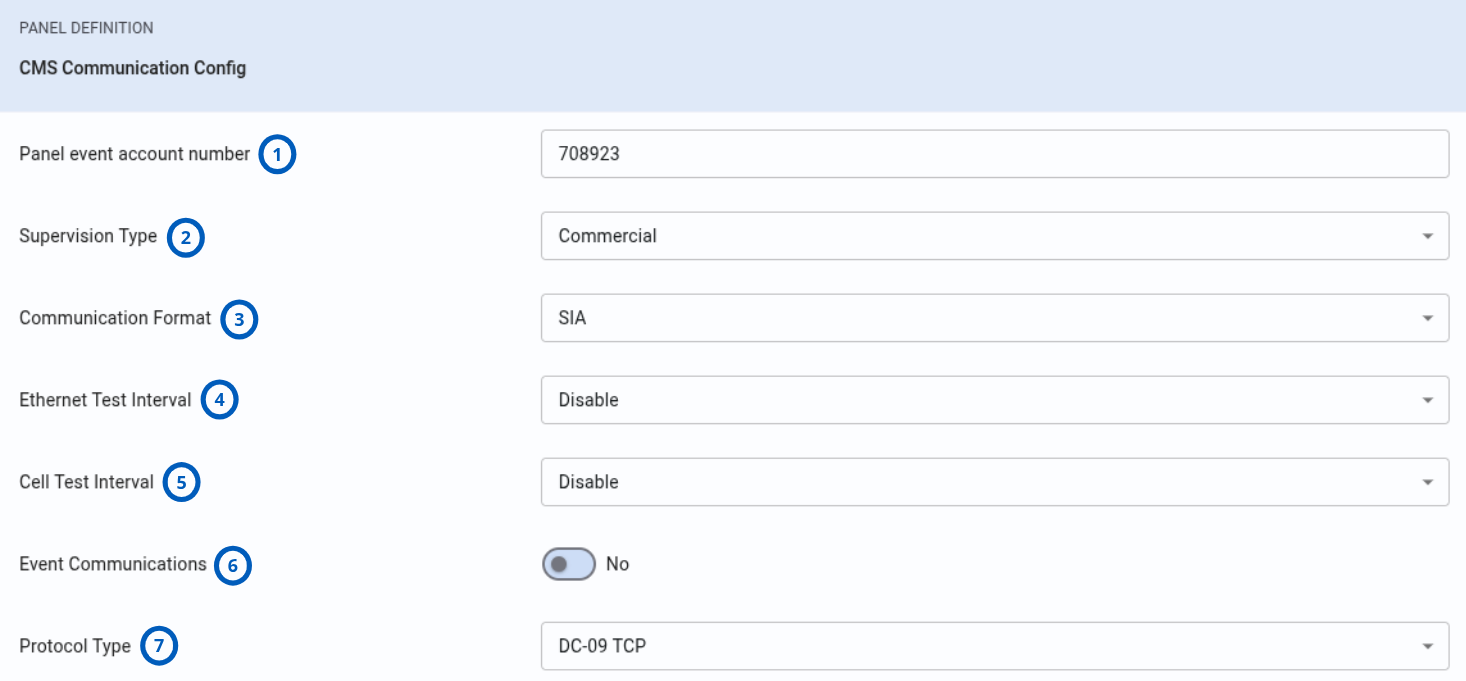
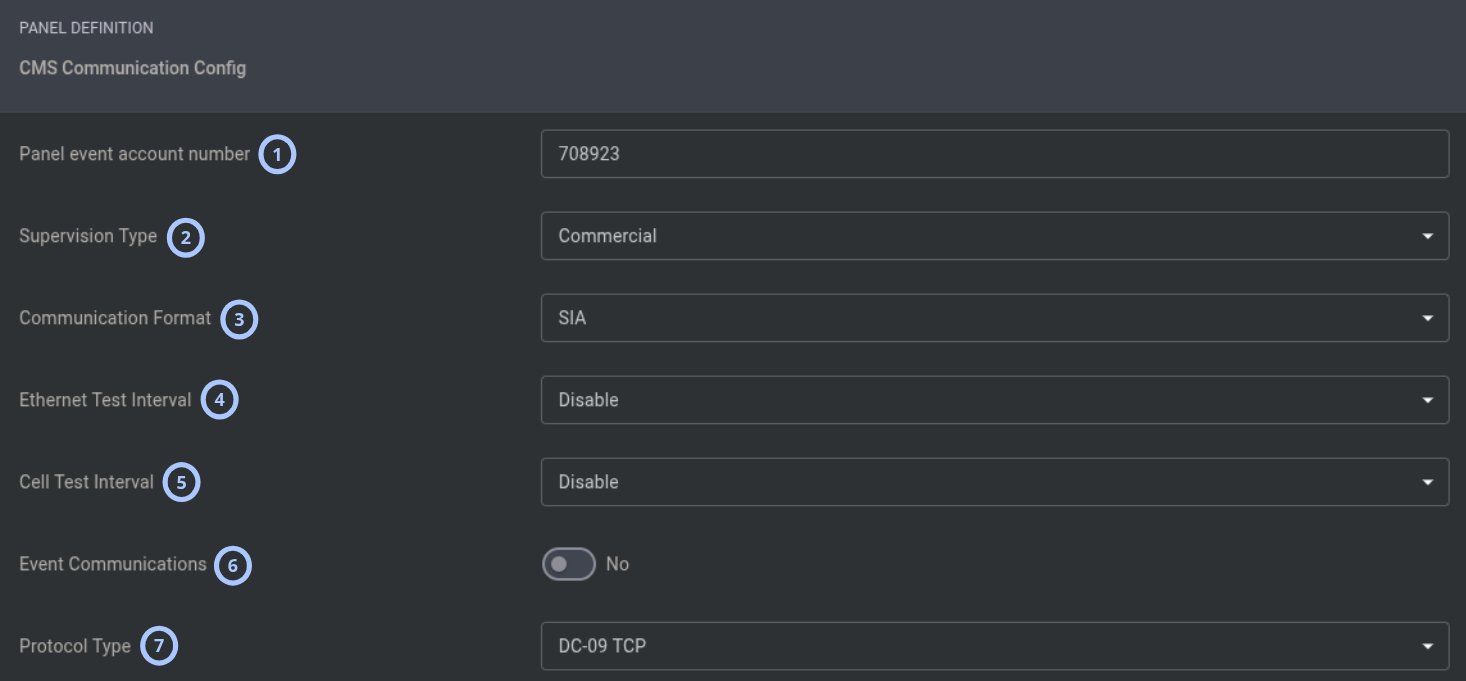
| Callout | Option | Notes |
|---|---|---|
| 1 | Panel event account number | Panel account number used to identify the panel in event reports to the central station. |
| 2 | Supervision Type | Commercial mode uses stricter heartbeat and timing requirements. |
| 3 | Communication Format | Event reporting format used when sending events to the central station. |
| 4 | Ethernet Test Interval | Periodic heartbeat test interval on Ethernet or broadband receivers. |
| 5 | Cell Test Interval | Periodic heartbeat test interval on cellular receivers. |
| 6 | Event Communications | Enables or disables event communication. |
| 7 | Protocol Type | Select the protocol type supported by the panel software version. |
CMS Call Direction Config DC-09 options
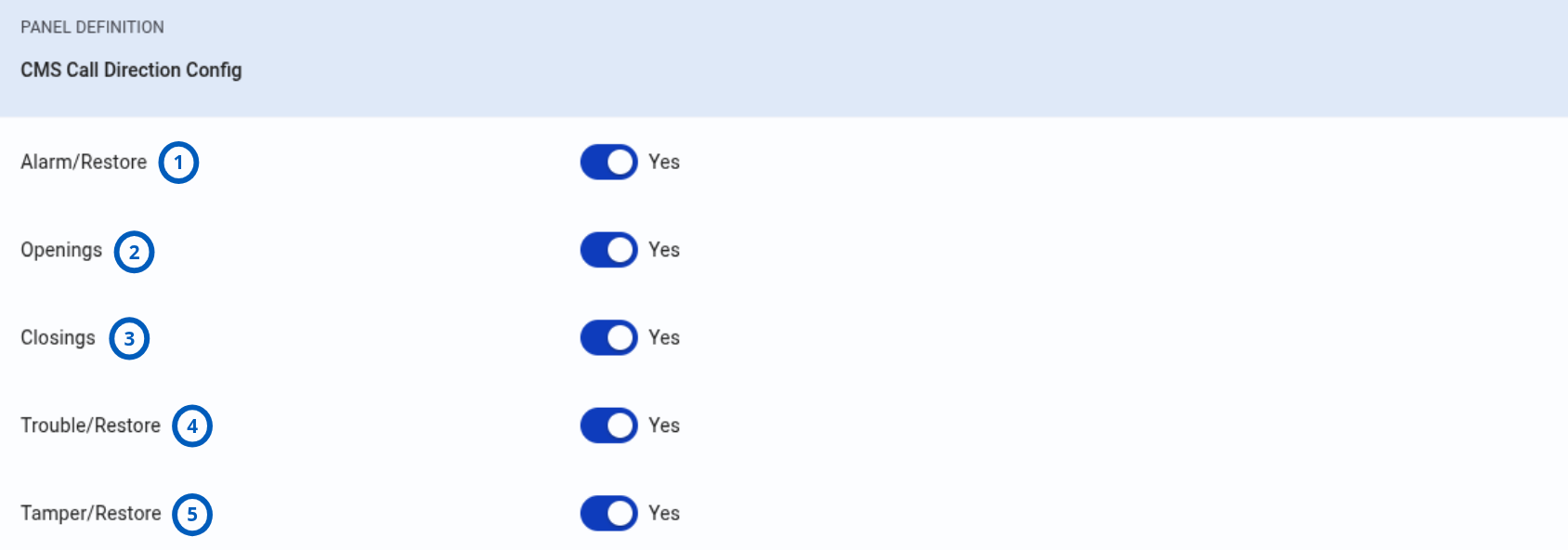
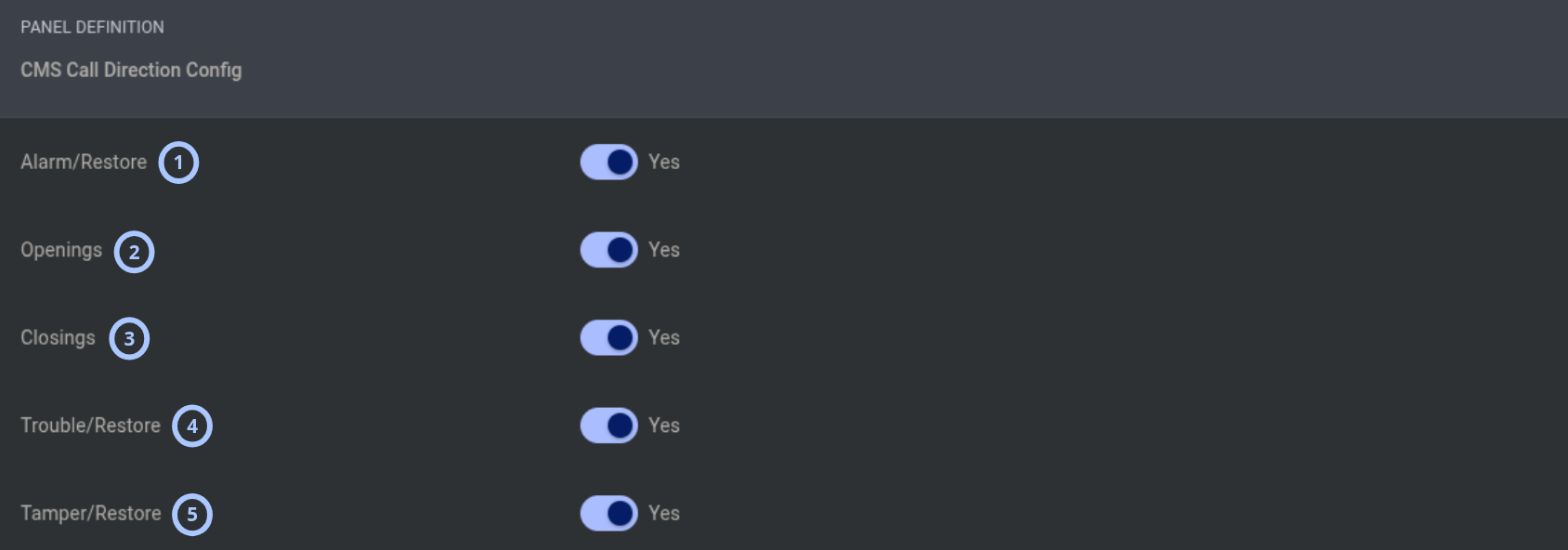
| Callout | Option | Notes |
|---|---|---|
| 1 | Alarm/Restore | Controls alarm and restore event reporting. |
| 2 | Openings | Controls panel disarm, or opening, event reporting. |
| 3 | Closings | Controls panel arm, or closing, event reporting. |
| 4 | Trouble/Restore | Controls trouble and trouble restore event reporting. |
| 5 | Tamper/Restore | Controls tamper and tamper restore event reporting. |
CMS Receiver Config DC-09 options
The IQ panel supports four receivers. Receivers 1 and 2 are dedicated to broadband communication, such as Ethernet or Wi-Fi. Receivers 3 and 4 are dedicated to cellular communication.
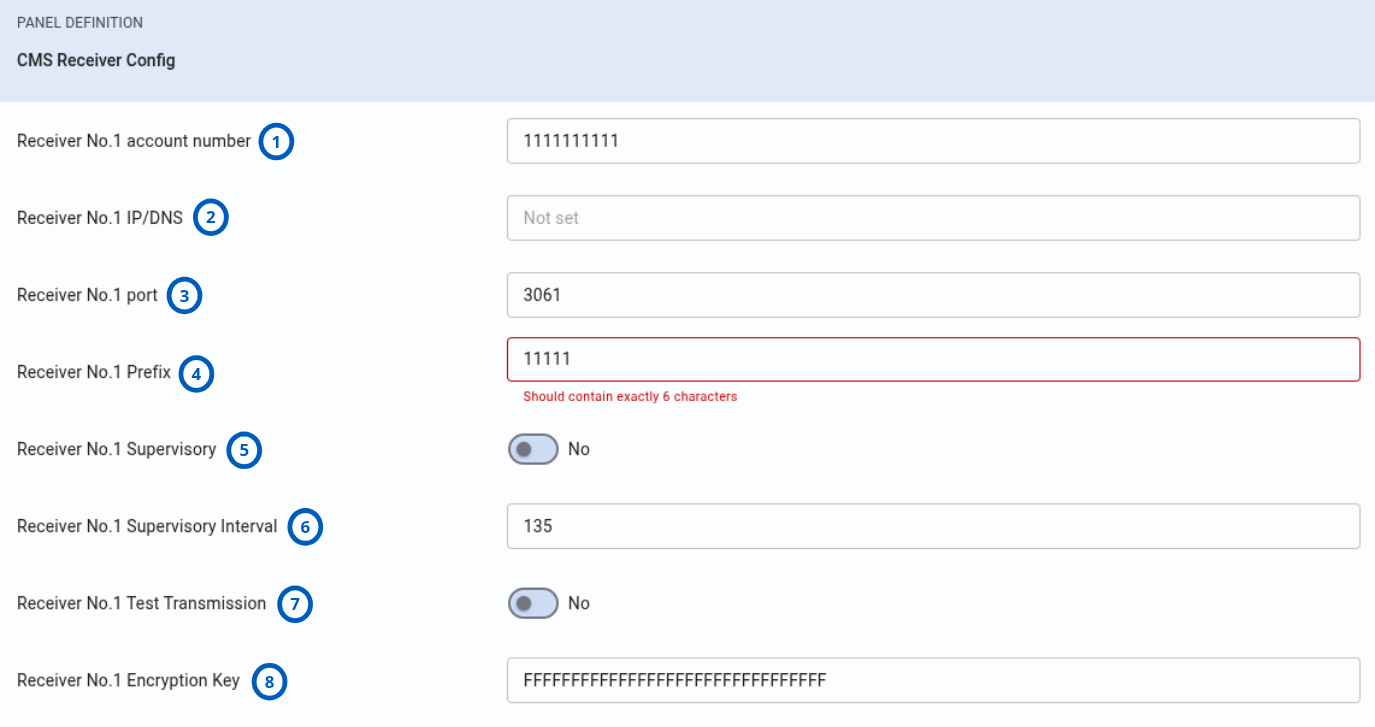
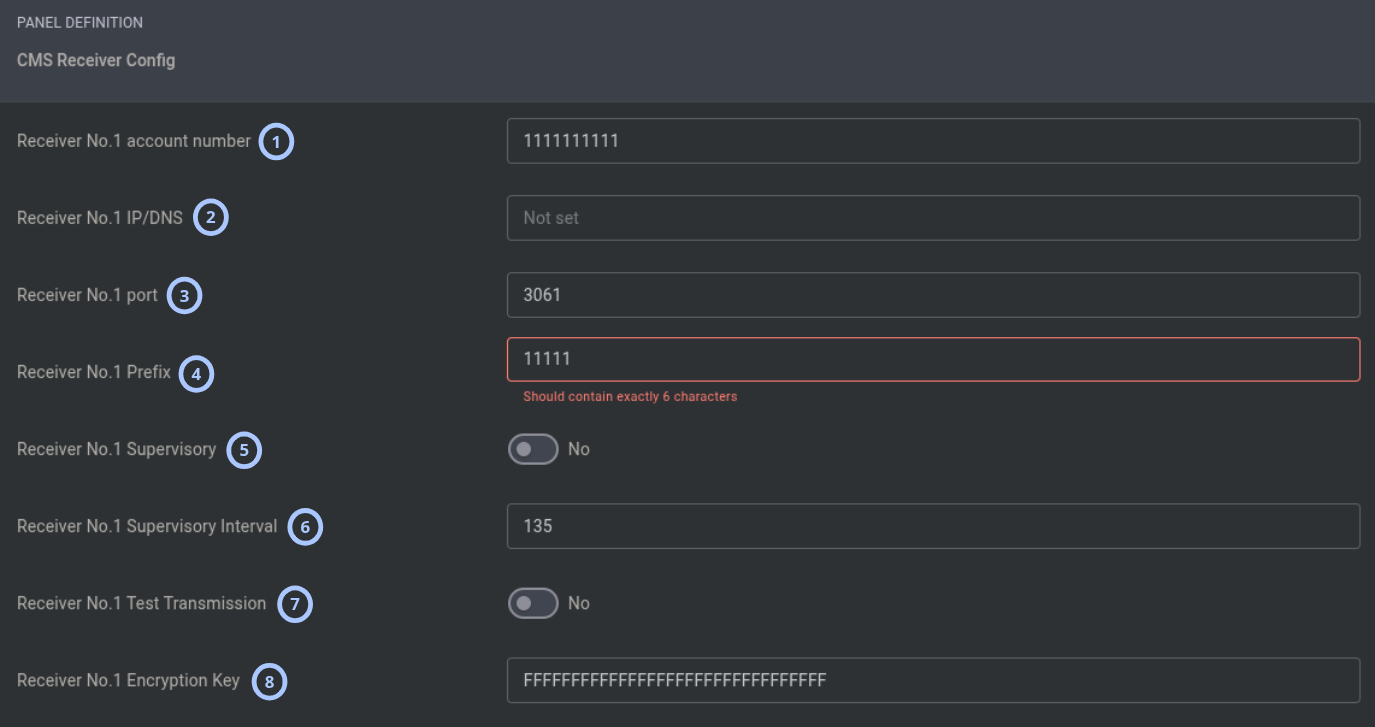
| Callout | Option | Notes |
|---|---|---|
| 1 | Receiver No.X account number | Receiver-specific account number reported in events to the central station. |
| 2 | Receiver No.X IP/DNS | Receiver IP address or DNS name. |
| 3 | Receiver No.X port | Remote port of the central station receiver. |
| 4 | Receiver No.X Prefix | Should contain exactly 6 characters. |
| 5 | Receiver No.X Supervisory | Controls heartbeat supervision for this receiver. |
| 6 | Receiver No.X Supervisory Interval | Heartbeat supervision interval in seconds. |
| 7 | Receiver No.X Test Transmission | Controls periodic test transmission for this receiver. |
| 8 | Receiver No.X Encryption Key | Encryption key used for encrypted DC-09 communication. |
Behavior details
PowerManage provides DC-09 configuration support through the IQ panel configuration workflow. After downloading configuration from the panel, users can review and edit CMS Communication Config and CMS Receiver Config values. Uploading the configuration applies the updated values to the panel.
When DC-09 is selected as the protocol, DC-09-specific options such as encryption, DNIS / prefix, supervision, receiver host, receiver port, and receiver account settings become relevant for receiver communication.
Receiver behavior is organized by communication path:
- Receivers 1 and 2: Broadband, such as Ethernet or Wi-Fi.
- Receivers 3 and 4: Cellular.
DC-09 options can also be programmed outside PowerManage from the panel Installer Menu under Settings → Advanced Settings → Installation → Receiver Options, from the Installer App, or from the Wizard.
Important notes and limitations
- DC-09 protocol availability depends on the IQ panel software version.
- Some IQ panel software versions may have validation limitations that restrict account fields to digits only.
- Incorrect receiver connection, protocol, account, encryption, or supervision values can prevent successful event reporting.